Changing your cPanel password
Changing your cPanel password is easy and can be completed in a couple of steps.
If you've lost access to your cPanel password, please get in touch and we can reset it for you. We will need to complete some security checks. If you still have access to your control panel and would simply like to change your password, use the steps below.
Log in to your control panel by visiting cpanel.yourdomain.com, replacing yourdomain.com with your account's primary domain name.
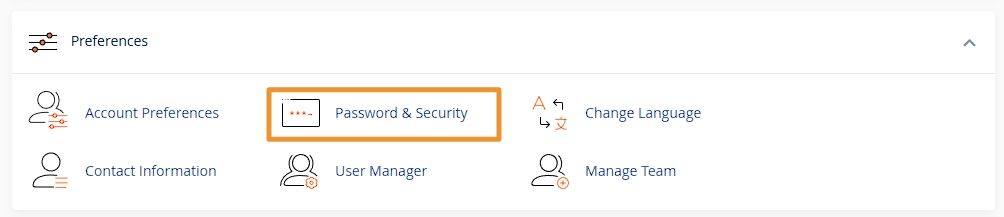
Under the Preferences group click Password & Security, this is usually near the bottom of the control panel.
This will then show a form where you can enter your current password and your new password, clicking Change your password now! will then save these details. Please note that if your password is not secure enough, then you may be unable to use it.